Quizzes in Moodle
Learners answer in the course, and the grade goes into the gradebook automatically.
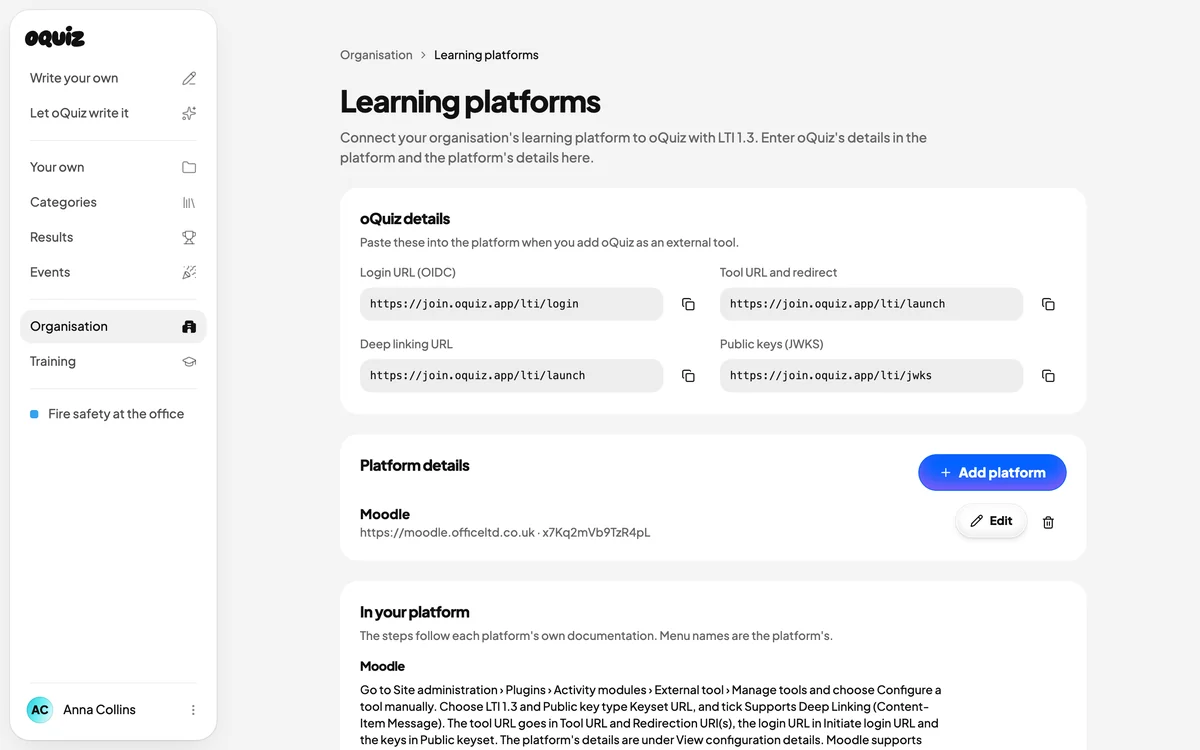
With LTI 1.3
You connect oQuiz once. After that, teachers pick quizzes straight from the course.
- Connect oQuiz once. An administrator adds oQuiz as an external tool under Manage tools and pastes in the addresses from oQuiz. There's no plugin to install.
- The teacher picks a quiz in the course. Select content lists your organisation's assignments. The gradebook gets a column for the quiz.
- Learners answer in the course. They don't need an oQuiz account. Moodle sends their name, and the quiz opens where they already are.
- The grade goes in automatically. The number of correct answers goes into the gradebook, marked as passed or not.
Or as a SCORM package
For when you'd rather upload a file and skip the connection.
- Download the package. From the assignment's page in oQuiz.
- Add it to the course. As a SCORM package activity.
- See the results in the report. Moodle shows passed or failed and the share of correct answers for each learner.
- Close the package when you're done. You close it in oQuiz when the assignment ends, so nobody can open it again.
Tested end to end in Moodle 5.3
Both ways, from the teacher picking a quiz to the grade showing in the gradebook.
- The questions stay with oQuiz. Moodle gets the result, never the questions or the correct answers.
- Teachers don't count as learners. If a teacher opens the quiz or previews the package, it doesn't show up in the results.
- The same rules as always. The number of attempts and the pass mark still apply when the quiz is opened from Moodle.
Sources
Menu names are from Moodle 5.3 in English and may differ in other languages or versions.
FAQ
Do we need to install anything in Moodle?
No. External tools and SCORM packages come with Moodle as standard.
What do we need in oQuiz?
A licence and a quiz to add to the course. You connect the learning platform under Organisation in oQuiz.
LTI or SCORM?
LTI if you can add the tool in Moodle, because then the grade goes back automatically. The SCORM package needs no connection, but close it when you're done, since anyone who has the file can open it.
What does oQuiz learn about the learners?
Their name and an ID from Moodle. No email address.
Which version of Moodle works?
We've tested Moodle 5.3 with both LTI 1.3 and SCORM 1.2. Moodle uses SCORM 1.2, so choose that version when you download the package.
Add your first quiz to a course
The learning platform connection is included in the licence.
Register interest